SkyCatsFit APK installation guide
The SkyCatsFit APK file is published on the website. The button on the main page and the QR code start a direct file download.
This page is only for installation instructions and file verification. Downloading starts from the button or QR code on the main page.
APK file details
| File | SkyCatsFit_09.08.26-1.apk |
|---|---|
| Version | 09.08.26-1 |
| Size | 33.1 MB |
| SHA-256 | 3585014D61F1F67EDBE040371F2EBF642B02F08AE1E32C49049942D6C42A326A |
What changed
• Added German, Spanish, Brazilian Portuguese and Simplified Chinese.
• Added localized basic exercise catalogs.
• Added Premium client birthday reminders.
• Added an expanded Premium period report with training, payment, income and duty statistics.
• Added new SkyCats Premium Light and Dark themes.
• Improved Statistics, Schedule and client training history.
• Improved visual indication of training status and unpaid sessions.
• New sessions now default to Personal training.
• Improved Backup/Restore and Undo history.
• Improved SkyCatsFit Club and personal account links.
• Added unobtrusive Club connection and Premium feature prompts.
• Improved visual consistency across main and secondary screens.
• Fixed training type, payment, reporting and localization issues.
Step-by-step guide
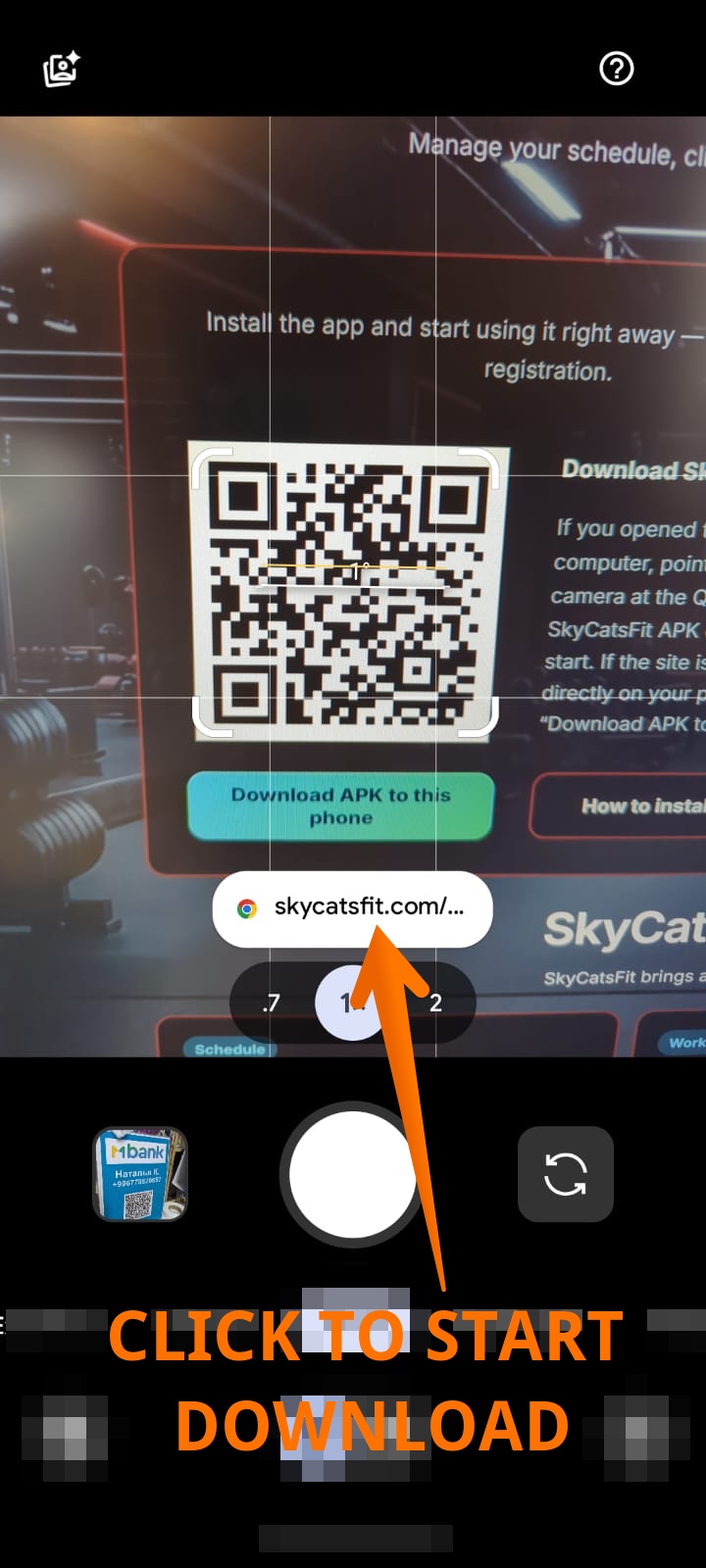
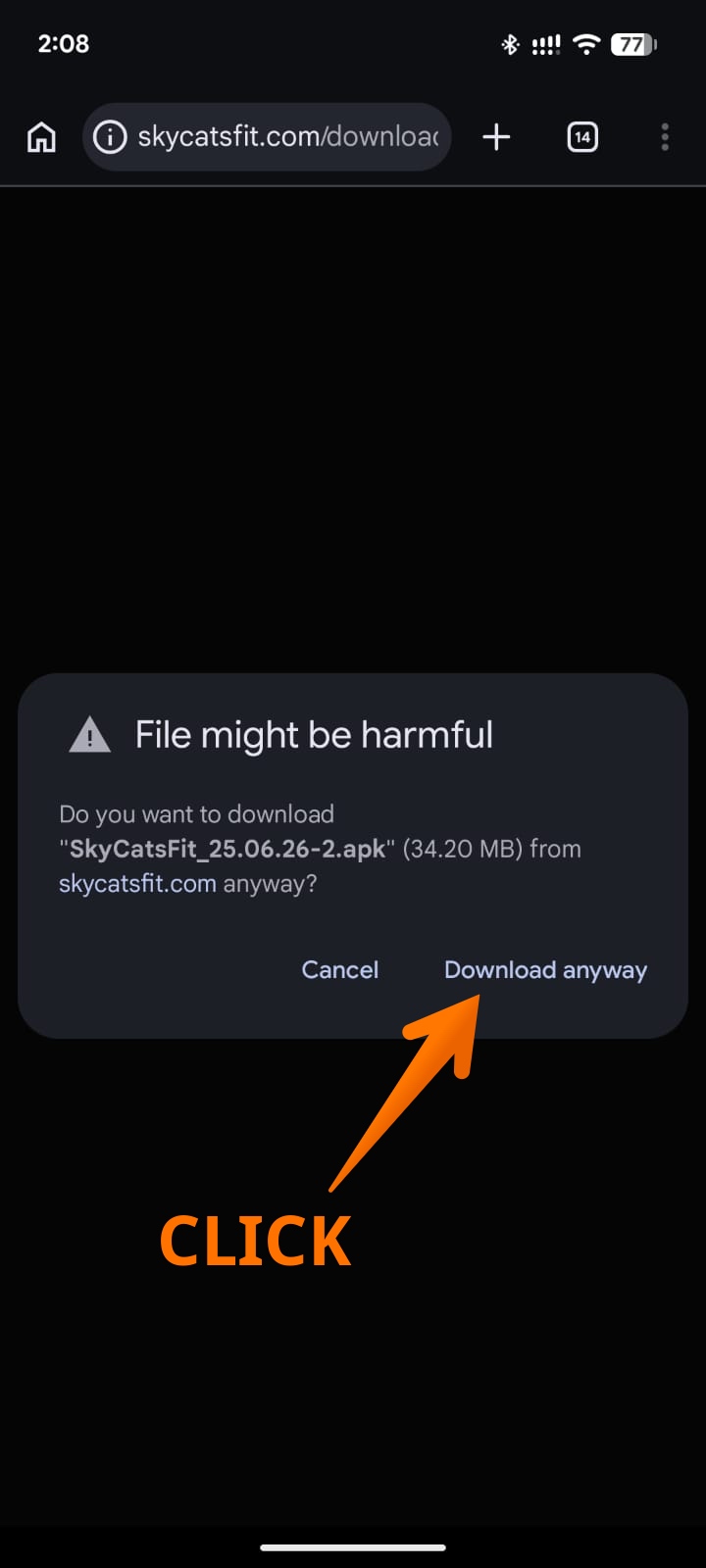
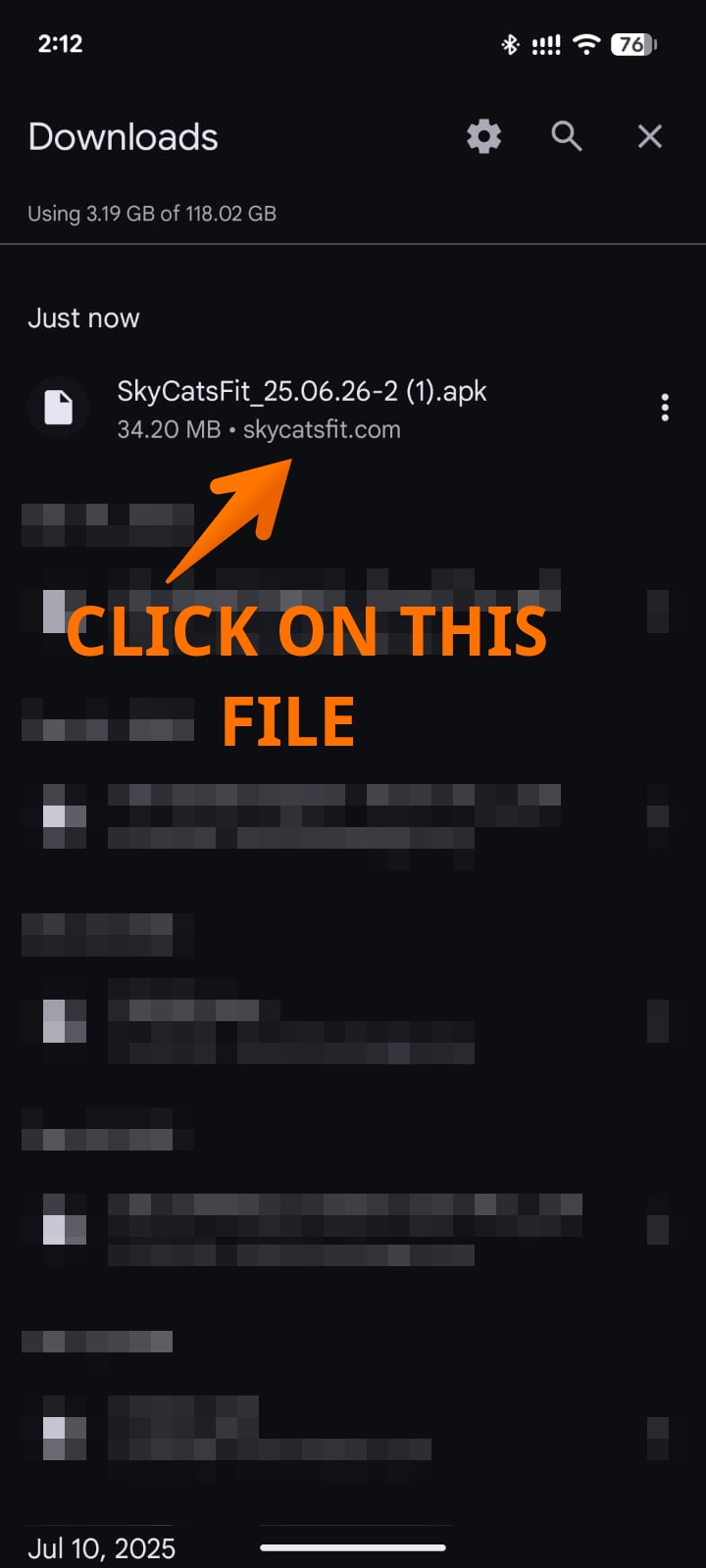
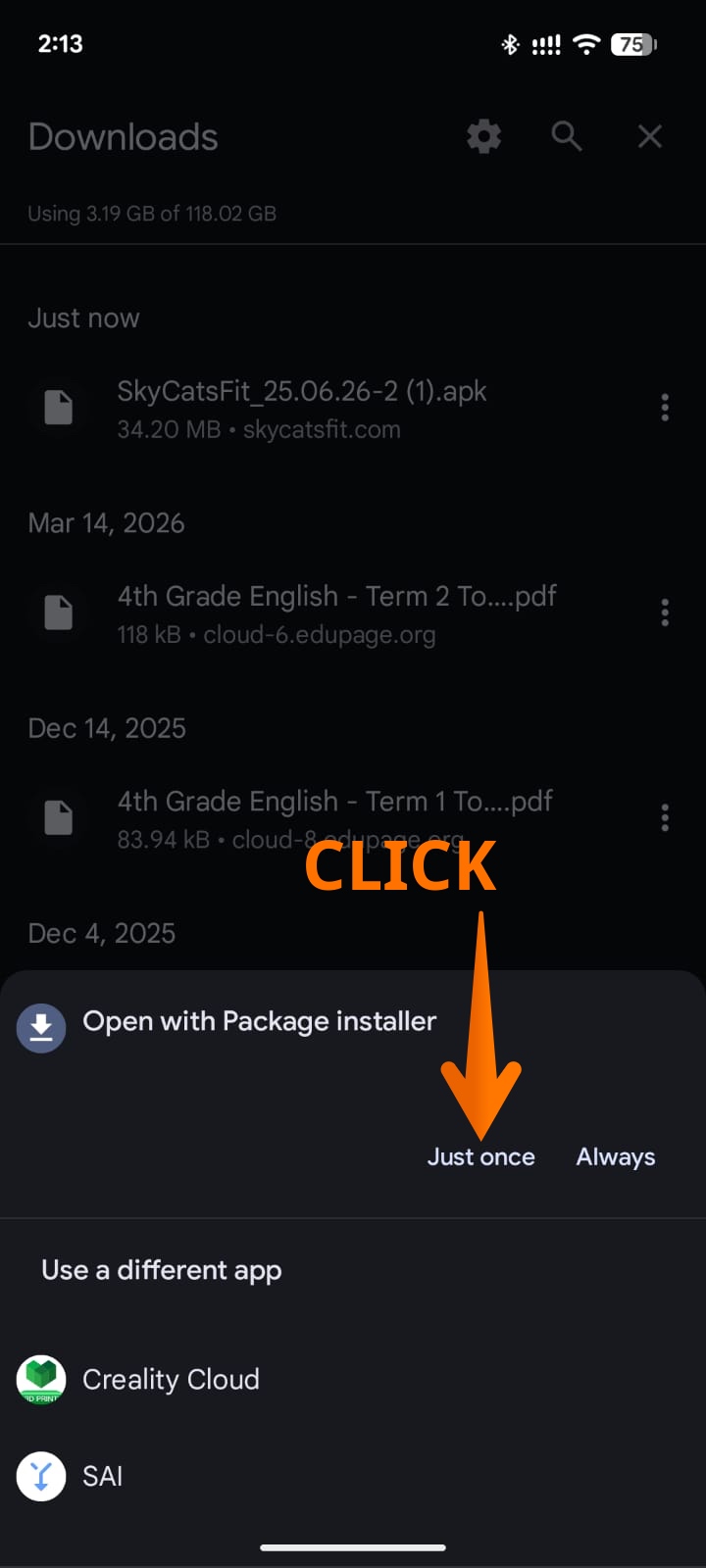
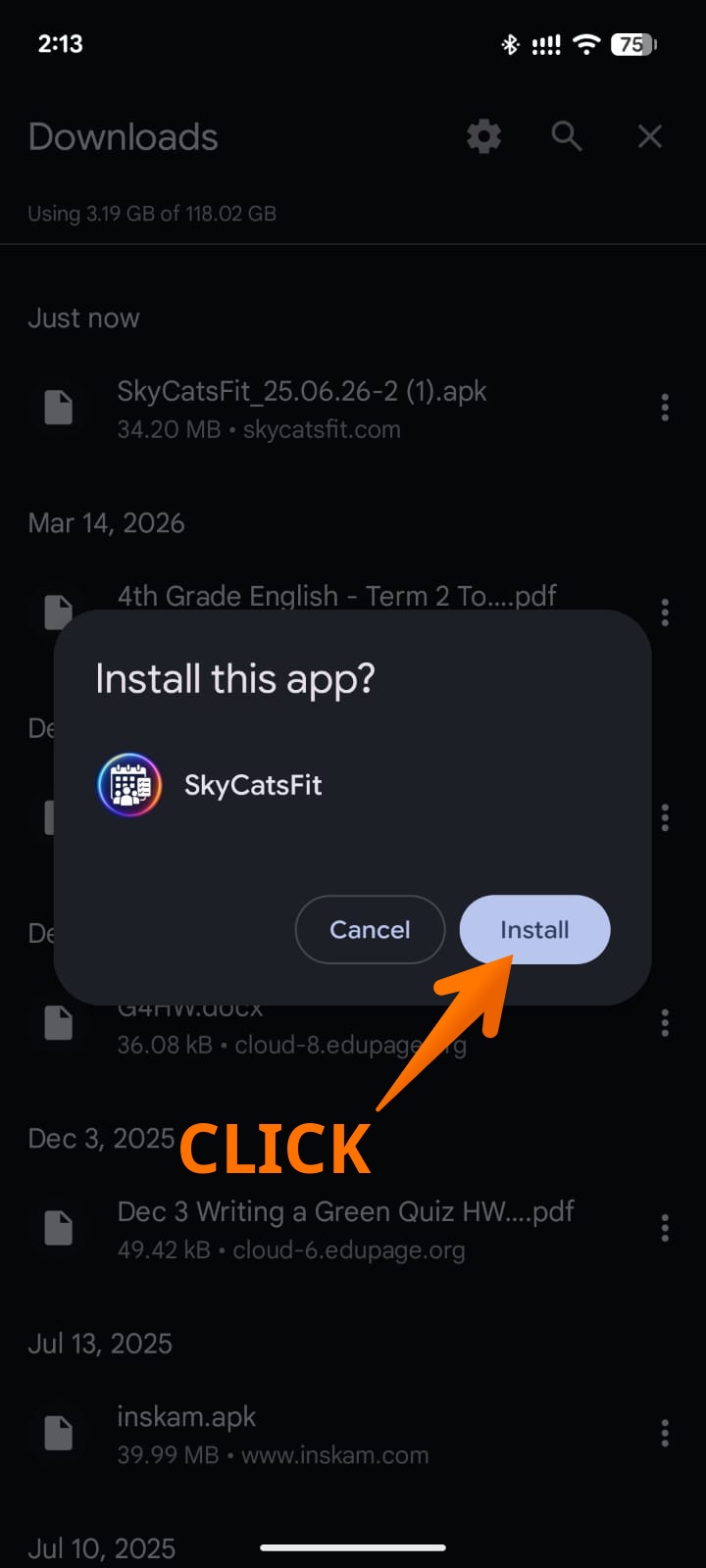
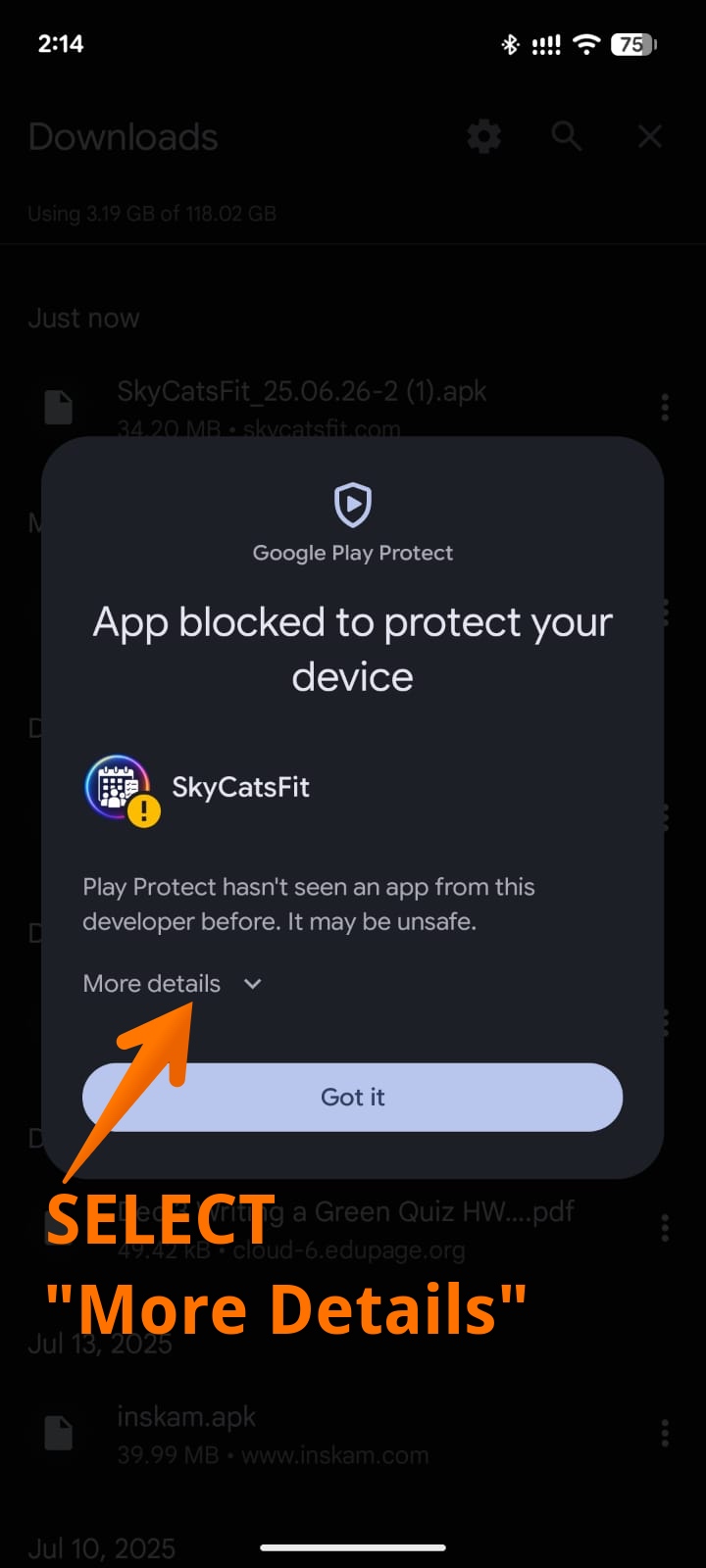
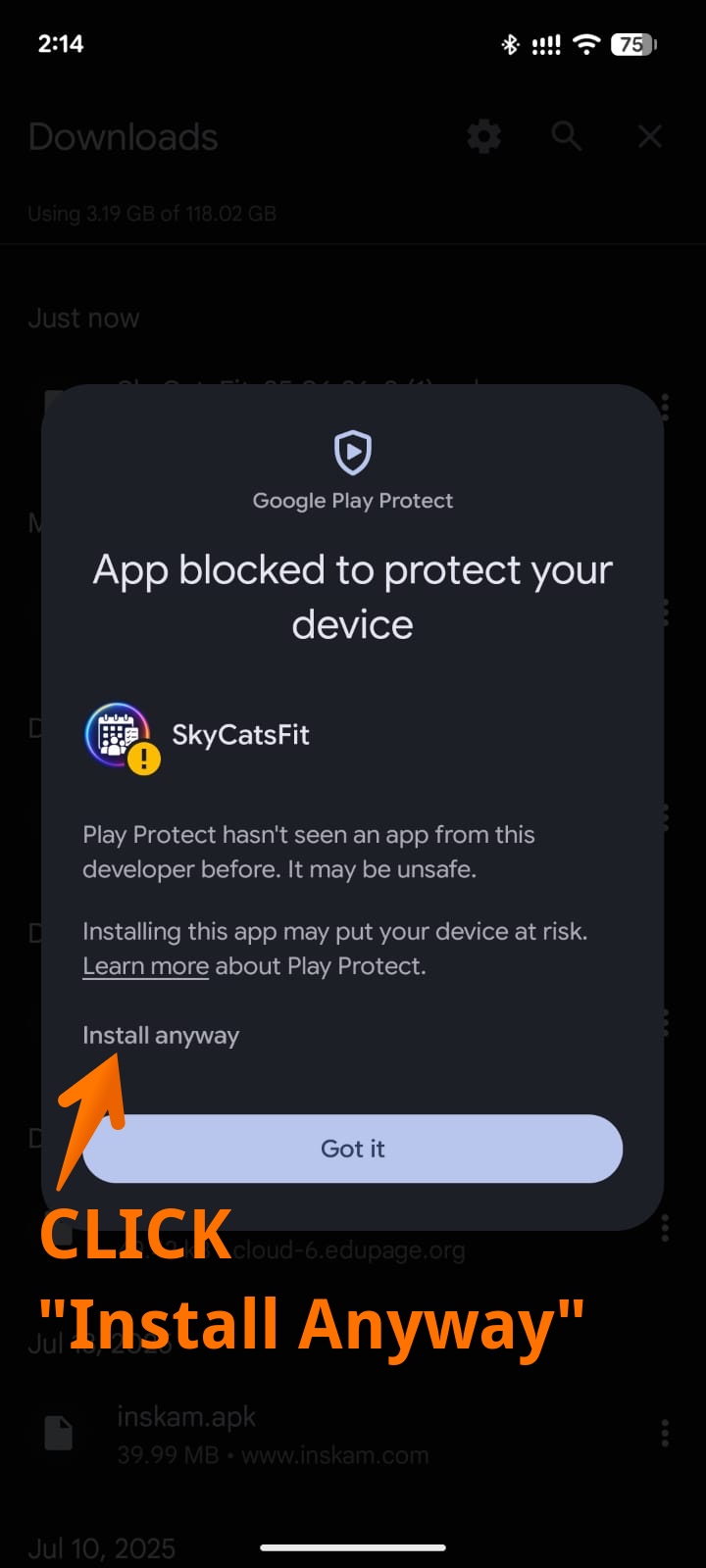
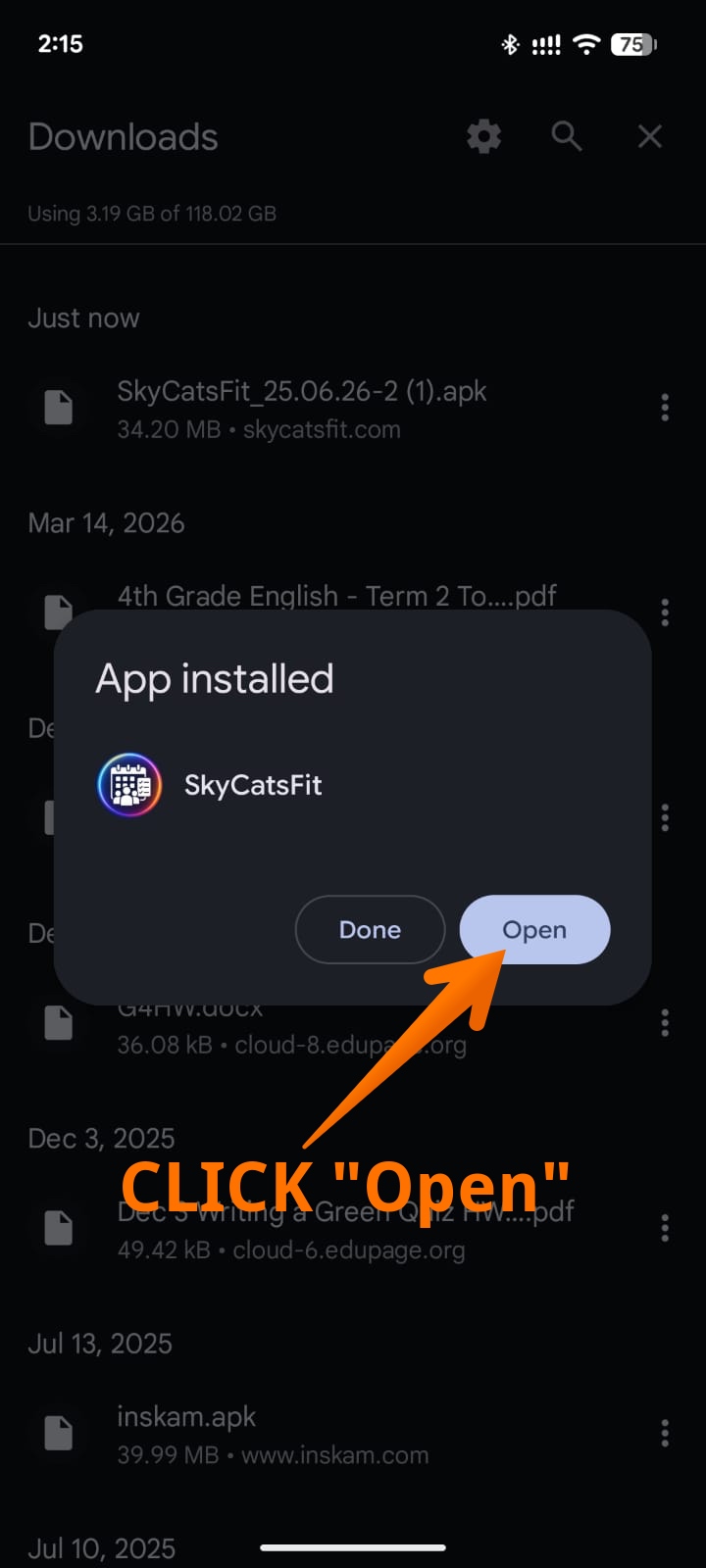
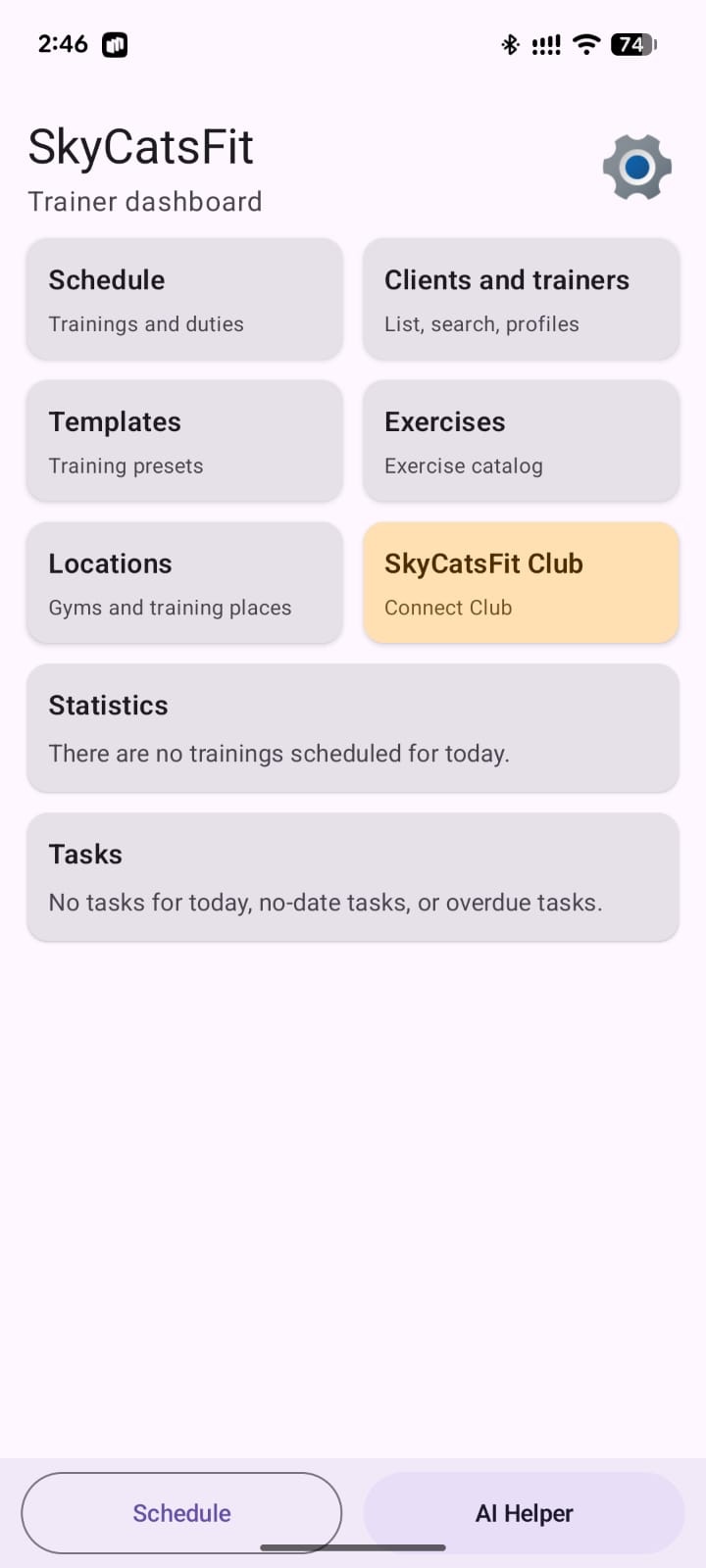
- Open the SkyCatsFit main page on your Android phone or scan the QR code from a computer.
- Tap “Download APK to this phone” or confirm the download after opening the QR-code link.
- Wait until the APK file is downloaded.
- Open the downloaded file. It is usually available in browser notifications or in the Downloads folder.
- Android may warn that installing apps from this source is not allowed.
- Tap “Settings” or “Allow” if Android offers to open settings.
- Enable “Install unknown apps” for the current browser or file manager.
- Return to the APK file and tap “Install”.
- After installation, open SkyCatsFit from your app list.
Menu names may differ slightly on Samsung, Xiaomi, Pixel, and other Android phones. The idea is the same: allow APK installation from your browser or file manager once.
Why Android shows a warning
SkyCatsFit is distributed directly from the website, so Android warns that the app is not being installed from Google Play. This is a standard APK warning.
Download the APK only from the official skycatsfit.com website.